

Now, imagine starting up your computer and hearing a strange clicking sound. Files are slow to open, or–God forbid – you can’t find them. If this sounds like you, your hard drive may be on the verge of failure. Hard drives can’t last forever, and when they crash, they can take all your valuable data with them.
Knowing what leads to a hard drive failure and being able to identify early warning signs can mean your important files aren’t lost. In this article, we’ll explain common causes, telltale symptoms and what you can do to repair (or prevent) the problem. And if nothing else works, you might want to consider professional data recovery.
Common Causes of Hard Drive Failure
There are many reasons why a hard drive may experience failure, but generally speaking, these failures fall into three main categories: mechanical, logical, and electronic.
Mechanical Failures
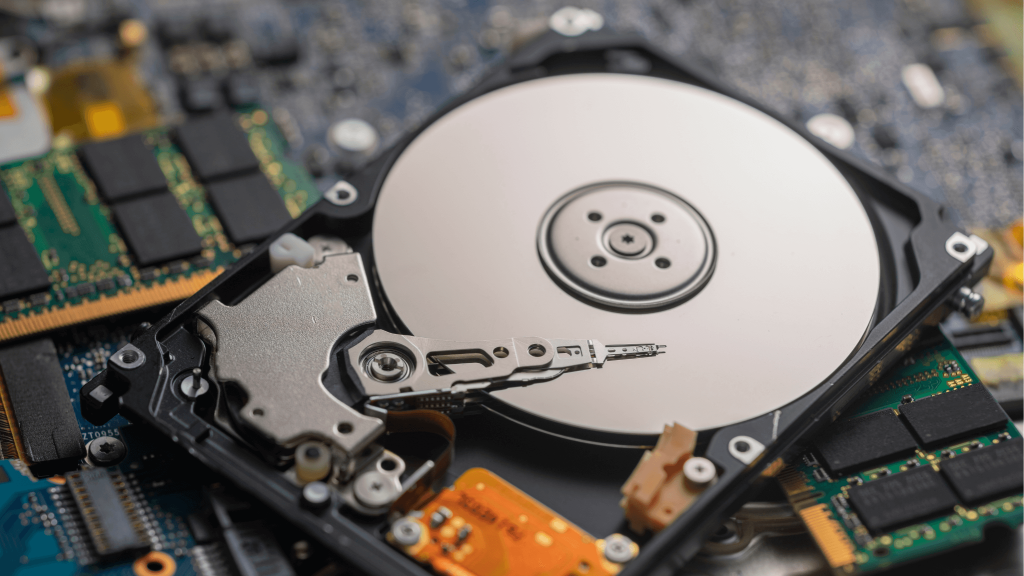
Hard drives have moving parts that deteriorate. The read/write heads or motor will fail, and your drive will stop working. Mechanical failure can also happen from dropping your laptop or subjecting it to extreme heat. Signs of mechanical failure usually sound like clicking, grinding, or buzzing. You have to fix this issue right away because further use could severely damage your database.
Logical Failures
Sometimes, it’s not the hardware; it’s the firmware. A hard drive becomes unreadable due to corrupt files, viruses, bad sectors, or formatting by accident. Oftentimes, the data is still there but locked up until the hard drive recovery process is completed. Logical failures can lead to error messages, a slow system, or missing files.
Electronic Failures
Sudden power surges, overheating, and bad circuit boards can damage the electrical parts of your hard drive. An electrical failure could potentially be the culprit if your drive goes dead and is not recognized at all by your computer. Electronic errors, unlike their mechanical counterparts, rarely offer symptoms; one minute, your drive is working, and the next, it’s dead.
Regardless of the cause, a failing hard drive is serious. Recognizing the warning signs early can prevent complete data loss.
Signs Your Hard Drive is Failing
Here’s how to tell if your hard drive is in trouble:
- Strange Noises: Clicking, grinding, or whirring sounds can indicate mechanical failure. These noises often mean the internal parts are struggling or have already failed.
- Slow Performance: If your computer suddenly becomes sluggish, frequently freezes, or crashes often, your hard drive could be developing bad sectors. Bad sectors are areas of the disk that have become unreadable, leading to performance issues and potential data loss.
- Corrupted or Missing Files: If files won’t open, show errors, or disappear altogether, it could be a sign of data corruption. This often happens due to logical failures or a failing storage medium.
- Frequent Error Messages: Errors like “disk not found” or “operating system not found” suggest your hard drive is struggling to communicate with your computer.
- BIOS/OS Fails to Recognize Drive: If your system doesn’t detect your hard drive at startup, it could be a sign of electronic failure.
If you notice any of these symptoms, stop using your hard drive immediately to prevent further damage. The more you use a failing drive, the harder it will be to recover your data.
What Happens to Your Data When a Hard Drive Fails?
One of the greatest fears most people have in the event of a hard drive failure is losing their data forever. The quick answer is: It depends on the type of failure and how quickly you respond.
Mechanical Failure
If internal components such as the read/write heads go bad, your data is still on the disk platters, but you cannot get to it. This can only be recovered by a professional hard drive data recovery service that can safely extract the data with their equipment. This usually requires opening up the drive in a clean room and replacing or repairing the damaged components while still retaining the data.
Logical Failure
Because the data is still around but corrupted or inaccessible, recovery software could be used to retrieve lost files. But if there is serious corruption, it may need to be addressed with professional help. Logical failures are usually reversible with the help of filesystem repair tools or operating system recovery utilities. However, if the wrong solutions are applied, you may lose data permanently, so be careful.
Electronic Failure
Often, the data isn’t necessarily lost; it’s just merely unreadable because of damage to the drive’s circuit board. A professional recovery facility can rebuild/replace the failed board and extract the data. Sometimes, swapping the board with an identical working model may work, but modern drives often require firmware reprogramming, making DIY fixes difficult.
Physical Platter Damage
In the worst-case, physical damage is caused to the platters, which can happen if the drive is severely damaged, has been burnt or submerged in water, or was left spinning after failing. Any scratches on the platters can destroy stored data permanently, and severe damage can make it impossible to recover anything. If your drive has sustained any physical damage, it’s best to stop using it right away and contact an expert.
What to Do When Your Hard Drive Fails
Before panicking, here are a few steps you can try:
- Check Connections: Loose cables or faulty ports can sometimes cause issues. Try plugging your hard drive into another computer.
- Run Built-in Diagnostics: Windows and Mac have tools like CHKDSK and Disk Utility that can scan for errors and repair minor issues.
- Try a Different Computer: If possible, connect your drive to another machine to see if it’s accessible.
- Use Data Recovery Software: If the drive is still somewhat functional, recovery tools can help retrieve lost files.
However, if your drive is making noises, refusing to be recognized, or holding extremely important data, it’s time to call in the experts. Technetics Data’s data recovery services specialize in recovering files from damaged or failing drives.

How to Prevent Hard Drive Failure
While no hard drive lasts forever, you can extend its lifespan with these simple precautions:
- Back Up Regularly: The best way to avoid data loss is by keeping copies of your important files on external drives or cloud storage.
- Avoid Physical Damage: Keep your laptop or hard drive in a safe place to prevent drops and shocks.
- Monitor Drive Health: Use software like CrystalDiskInfo or built-in S.M.A.R.T. monitoring to check for early warning signs.
- Protect Against Power Surges: A surge protector can prevent sudden electrical damage.
- Keep Drives Cool and Dust-Free: Overheating and dust buildup can cause premature failure.
If you do experience a failure, acting quickly can make all the difference. For severe cases, hard drive recovery services like Technetics Data can help retrieve lost files and get you back on track.
Bottom Line
Hard drive failure can happen to anyone, but looking out for the signs gives you the best chance at saving your data. If you’re struggling with slow, missing files, or strange noises, don’t dismiss the warnings.
If your data is important or your damage seems nontrivial, professional data recovery services may be able to help after basic troubleshooting fails. Need assistance? Technetics Data has the expertise to recover files from even the most damaged hard drives.
Don’t wait until it’s too late—protect your data today!
